How to use Focus Line
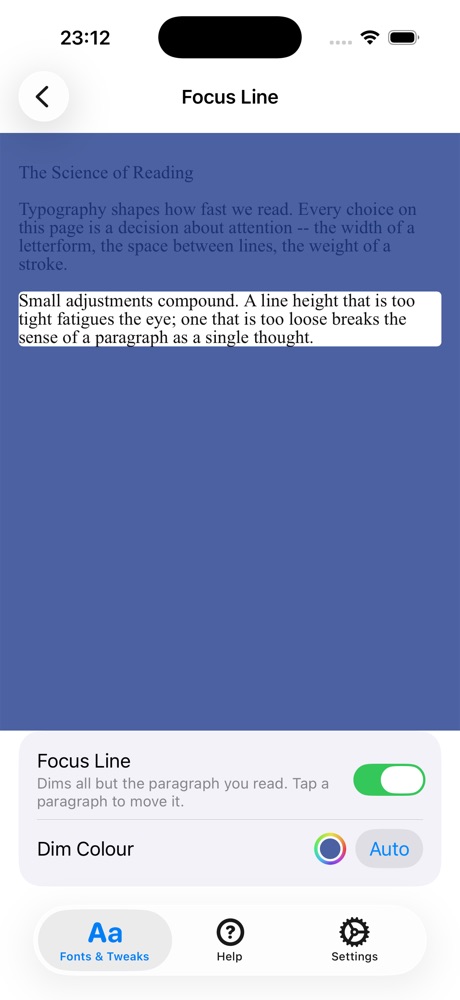
Focus Line dims the page except the paragraph you are reading. A clear band follows you at eye level as you scroll. It helps if you lose your place, skip lines, or find busy pages tiring to read.
🛠️ How to turn on Focus Line
- Open the FontFlex app
- Tap Fonts & Tweaks, then More
- Under Reading Focus, turn on Focus Line
- Open an article in Safari and start scrolling
👆 Tips
- Tap any paragraph to move the band there.
- Long paragraphs show 5 lines at a time. The band moves down line by line as you scroll.
- Photos stay bright when they reach the band.
- Dim Color sets the color of the dimmed area. Auto matches the page.
- Use it with Reader: tap Read on an article and the band starts at the title and follows you to the last line.

🤔 Focus Line isn’t showing
- Focus Line works on articles, like news stories and blog posts. It stays off on home pages, forums and search results.
- Make sure FontFlex is turned on for the website.
- Focus Line is part of FontFlex Pro.
Still unsure? Reach out at me@sufiyanyasa.com